
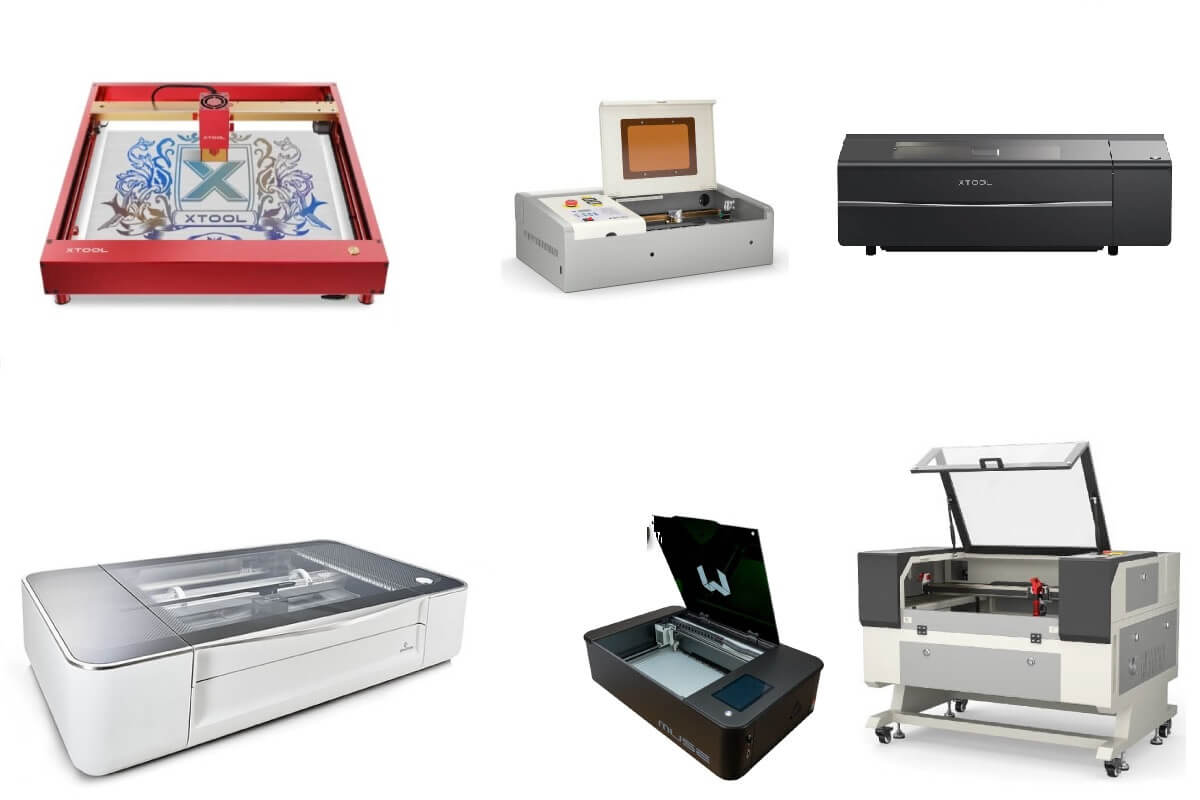
Laser-cutting machines were initially introduced in industries for manufacturing applications.
But with the recent developments in technology, laser-cutting machines have become more portable and affordable, making them popular for home use.
You can use these home laser cutters for making projects like signage, rubber stamps, jewelry, invitation cards, felt patches, puzzles, and artwork.
This article lists and reviews the best laser cutters suited for home laser cutting applications.
MellowPine is reader-supported. When you buy through links on my site, I may earn an affiliate commission at no extra cost to you.
Best Home Laser Cutters in 2023


1. xTool D1 Pro (20W) – Best Diode Laser Cutter
| Parameters | xTool D1 Pro |
|---|---|
| Laser Power | 20W |
| Work area | 16.93″ x 15.35″ x 2″ |
| Material Capability | Paper, plastic, cardboard, leather, wood, etc. Can also engrave metal |
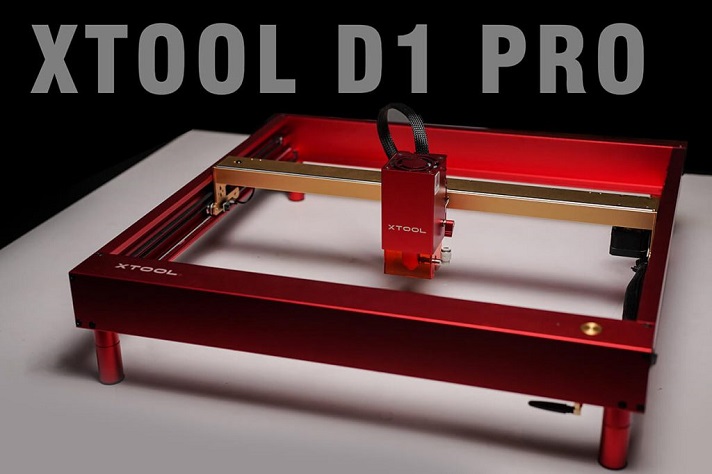
With the introduction of the 20W laser in a single module, xTool D1 Pro has become the most powerful diode laser cutter on the market, making it suitable for working on a wide range of materials.
xTool D1 Pro has an all-metal (aluminum and steel) build with an open-frame design. It has a desktop configuration with a footprint of 28.5″ x 9.8″.
Its work area measures 16.93″ x 15.35″ and can house up to 2″ thick workpieces.
However, the open-frame design provides the flexibility to raise the machine by placing it over wooden blocks and working on thicker material.
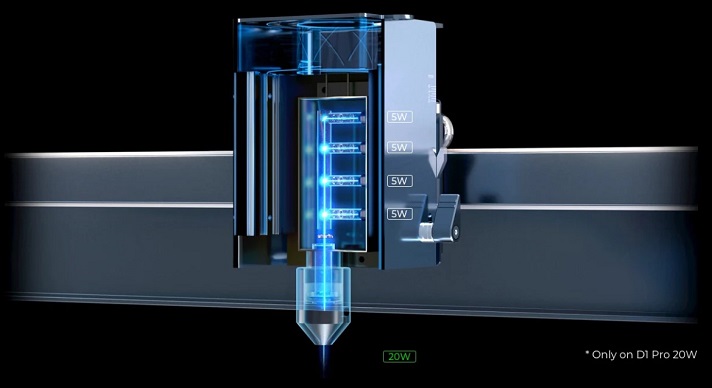
The 20W module internally has four 5W diode lasers operating at a wavelength of 450nm.
Laser output from these lasers is combined using a series of lenses to provide a combined output of 20W. It also compresses the laser beam to a spot size of 0.08 x 0.1 mm.
The machine has a belt-driven transmission along the XY axes. It is driven by NEMA17 stepper motors and can achieve a max. engraving speed of 400 mm/sec.
It doesn’t have autofocus capability. So you’ll have to adjust the Z-height manually.
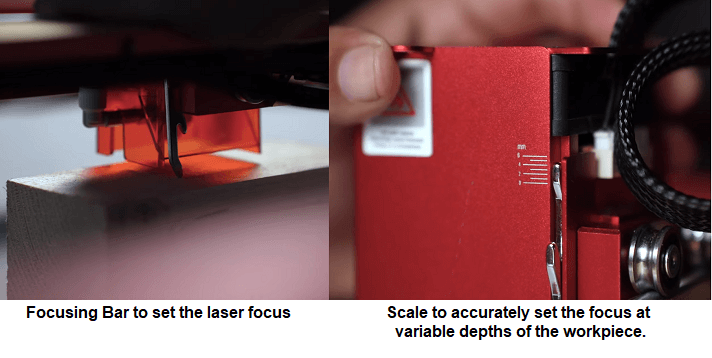
To help you set the laser focus accurately, the laser module on xTool D1 Pro has a drop-down focusing bar integrated with it.
Also, the scale marks on the laser module’s body help you set the focus depth below the workpiece surface. This feature is generally used for cutting thick workpieces or performing sub-surface engravings.
In terms of connectivity, it has USB and WiFi capabilities. The controller also has a memory card slot. It’ll help run projects offline.
You can control the machine through xTool Creative Space or LightBurn software.
xTool D1 Pro comes in parts, and you can assemble it in about 20 minutes. The quick start guide provided with the machine has detailed assembly instructions.
The machine has a rotary, extension kit, air assist set, enclosure, and honeycomb working panel upgrades.
xTool provides a standard 12-month warranty for the D1 Pro. They also offer an optional xToolCare package that guarantees premium support.
For a complete review, read a detailed review of xTool D1 Pro or watch the following review video.
2. OMTech K40 CO2 Laser – Best K40 For Home Use
| Parameters | OMTech kK0 |
|---|---|
| Laser Power | 40W CO2 laser |
| Work area | 12″ x 8″ |
| Material Capability | Paper, plastic, cardboard, leather, wood, etc |
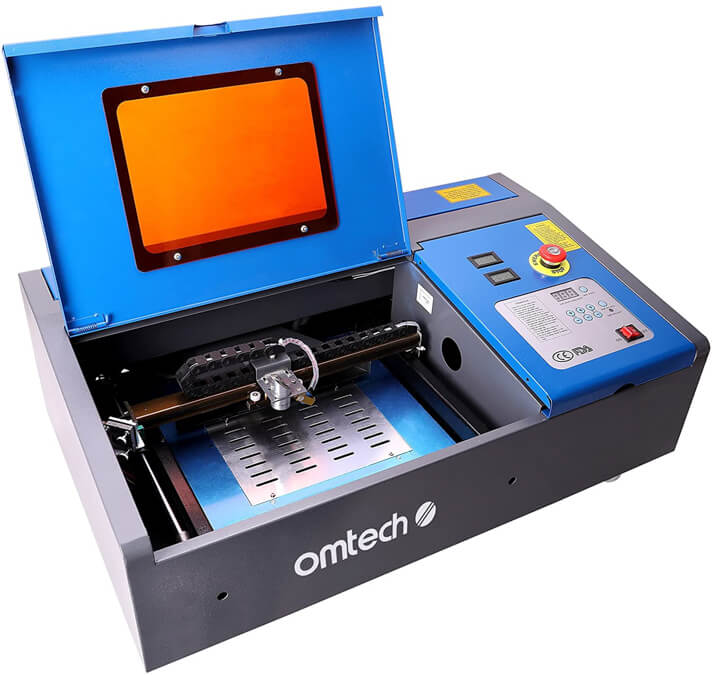
OMTech DF0812-40BG is the best K40 laser for home usage. It has a work area of 12″ x 8″ and a footprint of 31.9″ x 19.7″ x 9.8″.
Its enclosed setup provides better safety and is a good fit to work around in a home environment.
The acrylic shield on the door lets you see the work area while running a job and protects you from laser exposure. In addition, it has an LED strip light in the work area.
You can easily turn off the machine in emergency situations using the E-stop switch.
A 40W CO2 laser tube with a 2,000 hours lifetime powers OMTech K40. You can directly acquire replacement tubes from OMTech.
Despite being comparatively more powerful than most diode lasers, a CO2 laser can only be used for working on non-metal materials, except for engraving coated metals like anodized aluminum.
The beam path is positioned by 3 mirrors and comes aligned, so that’s less time spent on beam alignment.
Since the mirrors are hot glued to the surface, changing the mirrors or aligning the tube after a replacement will take a lot of work.
The machine has a vented level board in its work area. It clears smoke from trapping at the bottom part of the workpiece and relieves burn stains.
Without the vented level board, the machine has a Z-height of 2.5″, but with it installed, the maximum achievable Z-height is 0.5″.
Belt drives drive the X and Y-axis of OMTech DF0812-40BG. While cutting, it can achieve a maximum speed of 948 ipm.
DF0812-40BG is compatible with many upgrades from OMTech. This includes their rotary roller, water chiller, air filter, K40+ motherboard, etc.
The machine works with LaserDRW, CorelDraw, and CorelLaser software programs.
But if you want to work with LightBurn, you’ll have to upgrade the machine with their K40+ motherboard.
Inkscape and K40 whisperer are also popular choices among hobbyists to work with this machine. These software programs are free to use.
OMTech provides a 2-year warranty for the machine and a 6-month warranty for the laser tube.
You can reach out to them through emails listed on their website. They also have a community group on Facebook.
40W CO2 laser module with red dot pointer
Multiple upgrades and 2-year manufacturer's warranty