
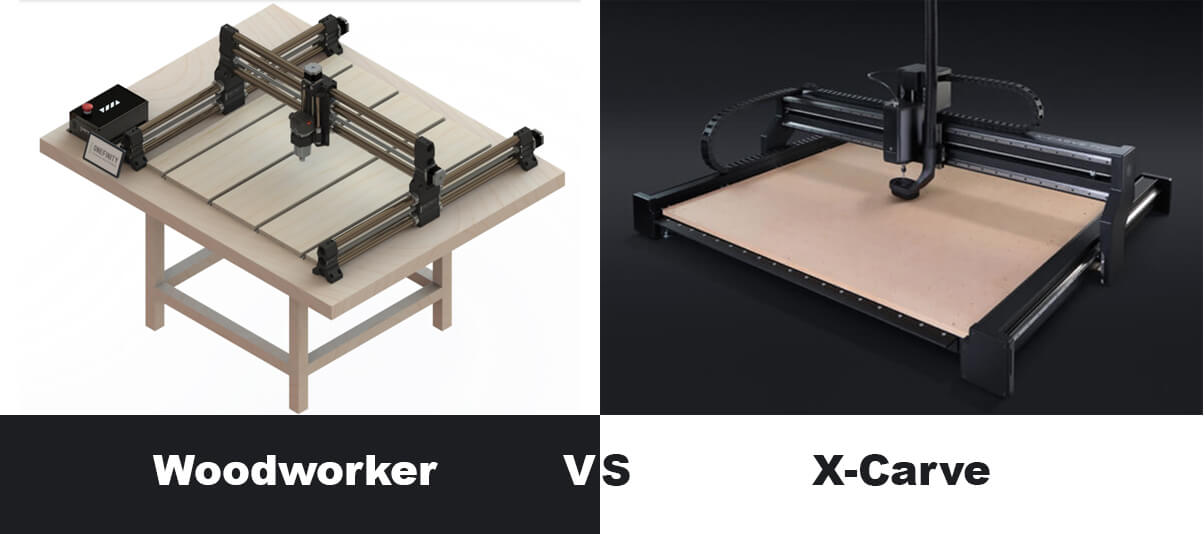
X-Carve has been one of the most popular desktop CNC routers for several years.
The Onefinity Woodworker, on the other hand, was launched in 2020 and is quickly becoming the top CNC router choice for a lot of hobbyists and small businesses.
When comparing X carve vs Onefinity, both come with their own set of advantages and disadvantages.
In this review, I’ll be critically evaluating and comparing the Onefinity Woodworker CNC with Inventables’s X-Carve CNC router.
MellowPine is reader-supported. When you buy through links on my site, I may earn an affiliate commission at no extra cost to you.
1. Price
| CNC | Price |
|---|---|
| X-Carve | ~$2,600 |
| Woodworker X-50 (with controller and 10.8″ display) | ~$2,453 |
Price of Onefinity Woodworker and X-Carve
Both X-Carve and Woodworker have customizable designs, and as per your choice of accessories, the prices change.
Onefinity provides the flexibility of purchasing both versions of the Woodworker with or without a controller and touch display.
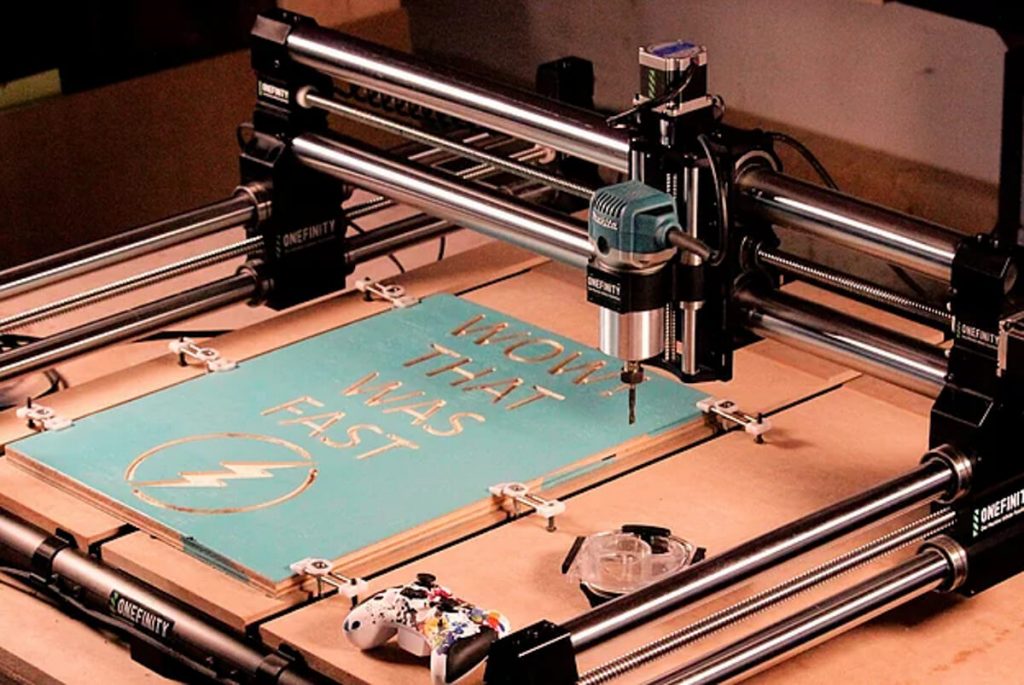
The following chart shows the set of Woodworker combinations available for you to purchase.
| Woodworkerversion | 10.8” HD display | OnefinityController | Price |
|---|---|---|---|
| X-50 | No | No | $1,947 |
| Yes | No | $2,079 | |
| No | Yes | $2,329 | |
| Yes | Yes | $2,452 | |
| X-35 | No | No | $1,564 |
| Yes | No | $1,695 | |
| No | Yes | $1,947 | |
| Yes | Yes | $2,070 |
Onefinity woodworker version combinations available for purchase
Please note that Onefinity is not providing the spindle/router with this kit, it has to be purchased separately and will cost around $110.
Inventables provides two options, you can either purchase a fully loaded X-Carve kit or can build your own from a base kit by selecting your choice of accessories.
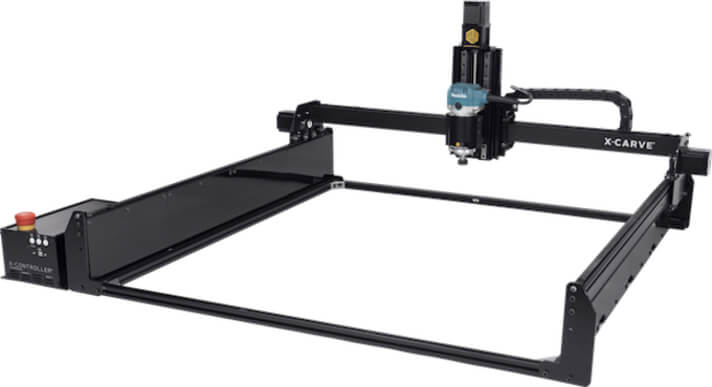
The following chart shows different components available with the base and fully loaded kits of X-carve.
| What comes with it? | Fully loaded Kit | Base Kit |
|---|---|---|
| $2,600 | $2,047 | |
| X-Carve Components | ✓ | ✓ |
| Wasteboard | ✓ | – |
| Belt and Motor Kit | ✓ | ✓ |
| Z-Axis Kit | ✓ | ✓ |
| NEMA Cable | ✓ | ✓ |
| Rail Kit | ✓ | ✓ |
| Easel Pro 3-year membership | ✓ | ✓ |
| Drag Chain | ✓ | ✓ |
| X-Controller | ✓ | ✓ |
| Z-Probe | ✓ | – |
| Side Board | ✓ | – |
| Dust shoe | ✓ | – |
| Homing Switches | ✓ | ✓ |
| Tool Kit | ✓ | – |
| Clamp Set | ✓ | – |
| Digital Calipers | ✓ | – |
| DeWalt Spindle Mount | ✓ | ✓ |
| 1/8″ Precision Collet Kit | ✓ | – |
X-Carve’s base kit and fully loaded kit comparison
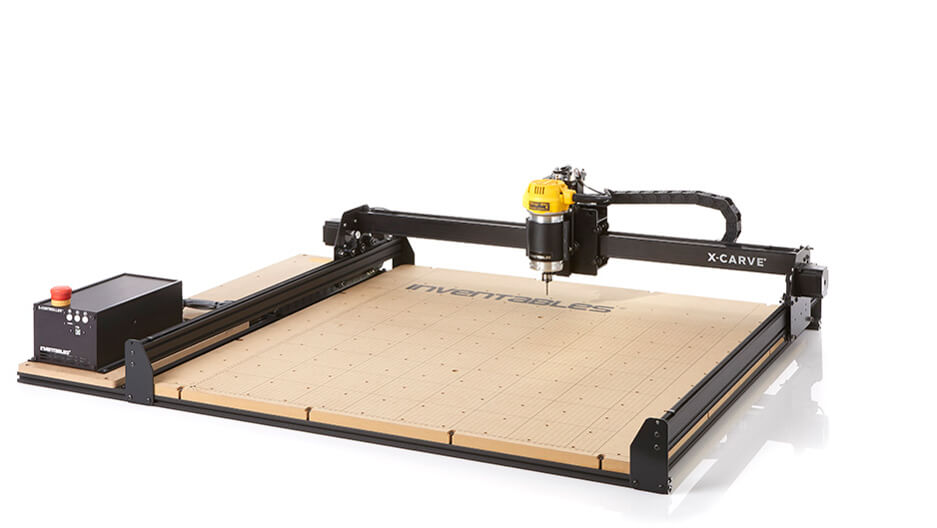
The fully-loaded kit comes with all that you need to build your CNC machine.
The main attraction Inventables provide with their product is a three-year Easel Pro membership. It’s available with both the basic and fully loaded kits.
This is a great deal, as even a one-month membership for their advanced Easel Pro software costs around $20.
I’ll give you a detailed idea of what accessories come with these prices in the accessory section of this article.
You can start making parts for less than $2,500 if you choose Onefinity, which is less when compared to X-Carve. (Don’t forget to factor in the cost of the computer for controlling X-Carve)
Winner: Onefinity
2. Footprint and Cutting Area
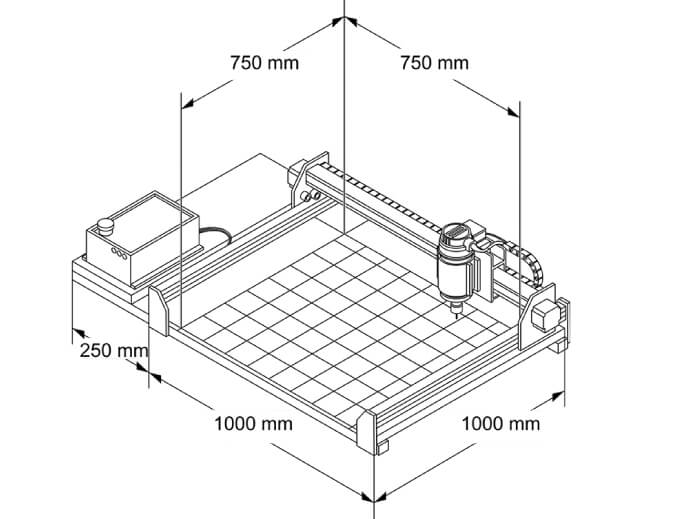
| CNC | Footprint | Cutting Area | Z Travel |
|---|---|---|---|
| X-Carve | 49″ x 39″ | 30″ x 30″ | 3.54” |
| Woodworker | 46” x 45” | 32 ¼” x 32 ¼” | 5 ¼” |
Size summary of Onefinity Woodworker and X-Carve
Both X-Carve and Onefinity require a table with a size little over their footprints to house the controller.
X-carve has a footprint of 49″ x 39″, while Onefinity has 46” x 45”. X-Carve’s cutting/working area is relatively smaller than the Woodworker.
The Woodworker has a cutting area of 32 ¼” x 32 ¼”, which is larger compared to X-carve’s 30” x 30” cutting area.
Also, Woodworker has 1.71” more Z travel than X-Carve.
While considering the Footprint and cutting area alone, Onefinity Woodworker looks like the best option as it has a larger work area compared to X-Carve.
Winner: Onefinity
3. Frame
| CNC | Frame | Size |
|---|---|---|
| X-Carve | Makerslide aluminum extrusion | 40 x 40 mm (3mm thick) |
| Woodworker | Cylindrical hollow steel | 50 mm (for X-50) 35mm (for X-35) |
Summary of frames used in Onefinity Woodworker and X-Carve
X-Carve uses a MakerSlide aluminum extrusion with a built-in V-rail linear bearing system.
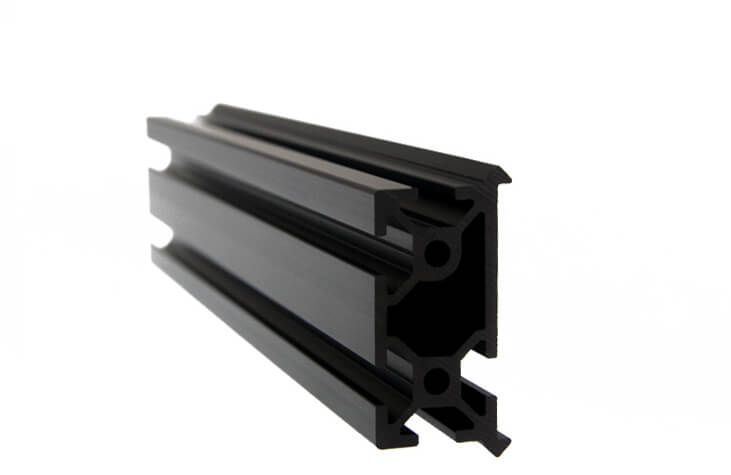
The MakerSlide rail is the foundation of X-Carve’s functionality. It supports the spindle as it carves. MakerSlide is an open-source linear bearing system.
On the other hand, Onefinity uses a 50mm hollow cylindrical steel rod for its X-50 version of Woodworker.
The only difference between the X-35 and X-50 versions of Woodworker is the diameter of the rods, the numbers in their version name denote their respective frame diameters.
X-35 has a 35mm frame, while X-50 has a 50 mm frame. A larger rod size provides more rigidity to the machine, and this helps in effective milling operation.
Woodworker’s frame is made of chrome-plated hardened steel. This provides great rigidity and smooth machine movement.
Also, this cylindrical steel rod can bear more weight as it has minimal flexing. The chrome plating helps the frame resist corrosion.
A fully loaded X-Carve weighs around 211 lbs, while Onefinity Woodworker weighs around 137 lbs.
The Onefinity has a comparative advantage over X-Carve, as it has a more rigid build.
Winner: Onefinity
4. Work Bed
| CNC | Work Bed |
|---|---|
| X-Carve | 3/4″ MDF with threaded inserts |
| Woodworker | Not provided |
Work bed provided with Onefinity Woodworker and X-Carve
X-Cave comes with a ¾” MDF work bed, while Woodworker does not come with any work bed.
If you are looking forward to buying a Woodworker, then you have to make one.
I recommend a ¾” MDF for the Woodworker. It’s cost-effective and easily replaceable.
Onefinity sells Woodworker QCW work bed on their website’s accessory page, and it costs around $360.
But if you are a DIY enthusiast, then you can take up this challenge and can build one all by yourself. Onefinity has a detailed video on how to make one.
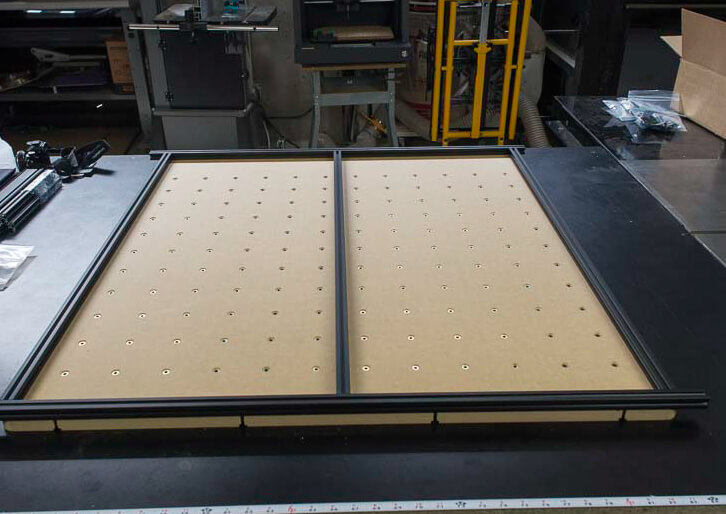
X-Carve’s ¾” MDF comes with threaded inserts. This helps to hold the clamps well in place.
There are three Integrated T-slots on the ¾” MDF and provide a minimum clamp-to-part distance with its new hole patterns.
Since Inventables provides a work bed with work-holding options, this eliminates the extra work you need to do to make one, and hence X-Carve offers a better deal here.
Winner: X-Carve
5. Linear Motion
| CNC | Drive | Linear Guide |
|---|---|---|
| X-Carve | Belt Drive in X and Y-axis Acme screw drive for Z-axis | V wheels for X and Y-axis Precision Linear guide rail for Z-axis |
| Woodworker | Ball Screw drive in X, Y, and Z | Cylindrical shaft |
Summary of linear motion elements used in Onefinity Woodworker and X-Carve
Woodworker makes use of a ball screw mechanism, while X-Carve uses a belt-driven mechanism.
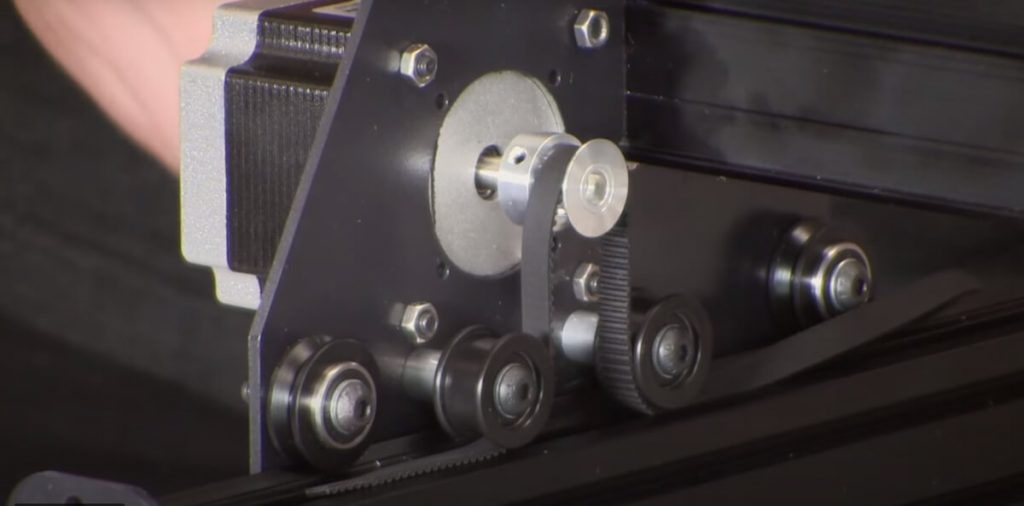
The X-Carve uses a V-weel-based belt-driven system to move through the X and Y-axis.
For the Z-axis, X-Carve comes with an upgraded Z-axis kit which provides more rigidity, torque, and material removal rate.
The upgraded Z-axis uses a precision linear guide with recirculating ball bearings, hence providing limited surface contact and smooth plunge movement.
This increases the machine’s precision and reduces backlash.
X-Carve’s Z-axis uses a direct drive acme lead screw to increase its performance and reliability.
The currently sold X-Carve uses a 9mm wide GT3 timing belt, which is an upgrade from the previous 6mm wide GT2 belt.
This ungraded belt provides extra stiffness, reduces chatter, and increases machine accuracy.
Belt driven system will eventually lose precision as the belt loosens and causes missed steps.
So the belt has to be tightened regularly to attain proper tension for the efficient working of the X-Carve CNC machine.
Woodworker uses a 16mm ball screw drive for its X and Y axes. The Z-axis uses a 12 mm ball screw drive.
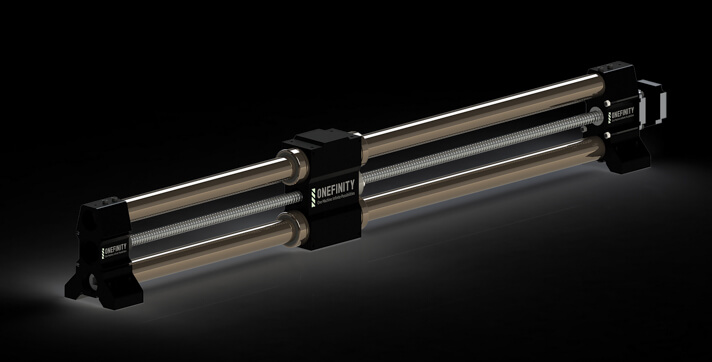
Though the ball screw requires to be lubricated once in a while, it does not have any backlash errors. This helps you with accurate milling and drilling operations.
Woodworker’s cylindrical linear shaft guide provides extra stiffness. This also adds extra performance and accuracy to the machine compared to V-wheels.
Both X-Carve and Woodworker use the dual-drive mechanism for driving the Y-axis. This helps prevent the racking of the gantry.
Considering the linear motion mechanism of both these machines, Onefinity is the winner.
Woodworker’s ball screw-driven cylindrical shaft mechanism gives the machine a stable and precise movement.
Winner: Onefinity
6. Material Capability
| Materials | X-Carve | Woodworker |
|---|---|---|
| Non-metals | Yes | Yes |
| Non-Ferrous Metals | Yes (with coolant) | Yes |
| Steel | No | No |
Material capabilities of Onefinity Woodworker and X-Carve
Both machines can work on the most common work materials in a CNC workshop, like plastic, softwood, hardwood, aluminum, and others.
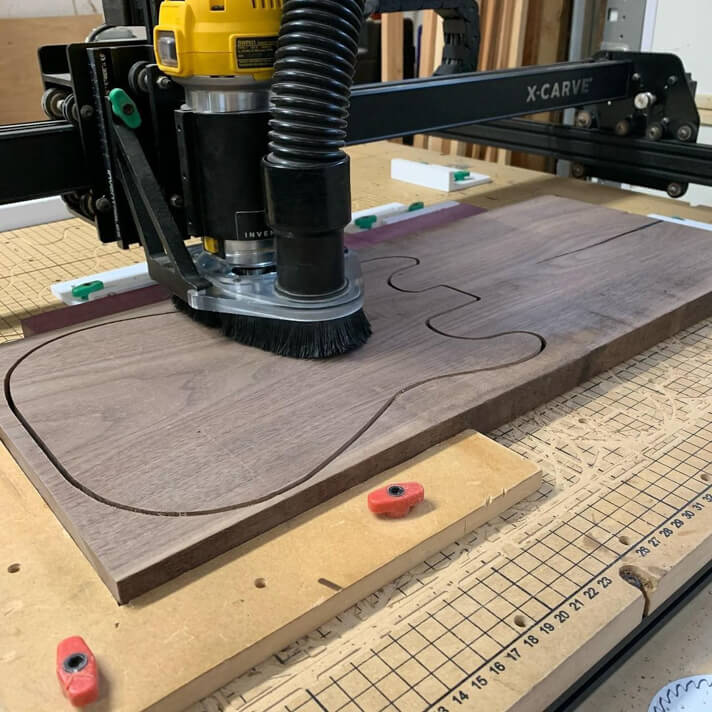
X-Carve can carve on materials like wood/wood composites, plastics, and non-ferrous metals like aluminum, brass, and copper.
Proper cut settings and a well-equipped chip removal system will help the machine in the long run.
I suggest you use aluminum 6061 for carving on the X-Carve, as other rigid alloys of aluminum will be a bit of a hard task for this machine.
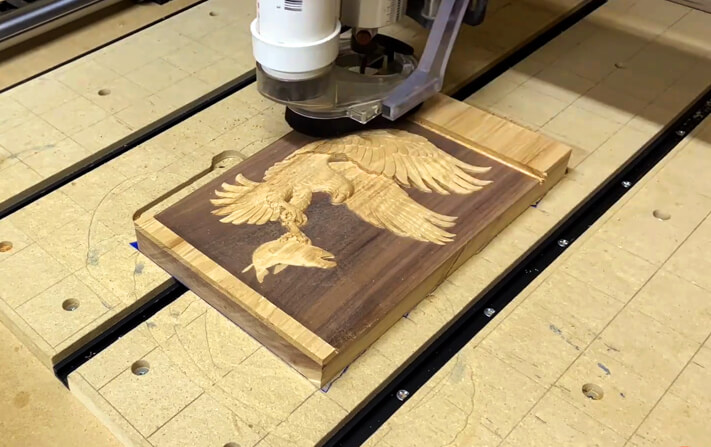
The Onefinity not only cuts wood but can also cut through plastic, hardwood, aluminum, and brass.
Its rigid linear bearings provide the machine with great stiffness to carve on hard materials even without lubrication. But this depends on what spindle you are using for your setup.
Winner: Tie
7. Feeds and Speeds
| Parameter | X-Carve | Woodworker |
|---|---|---|
| Material | Aluminum 6061 | Aluminum 6061 |
| Bit Dia | ¼” | ¼” |
| Depth of Cut | ~0.01” | ~0.04” |
| Feed | ~40 ipm | ~100 ipm |
Feed rate comparison of Onefinity Woodworker and X-Carve
The plunge rate is the speed at which the machine cuts through a material by moving only on the Z-axis.
Feed rate is the speed at which the machine cuts through the material by moving in the X and Y-axis.
Inventables Easel software has different parameter templates of various materials for the X-Carve CNC machine.
But it seems like the Easel template values are on the safer side than what the machine is capable of doing.
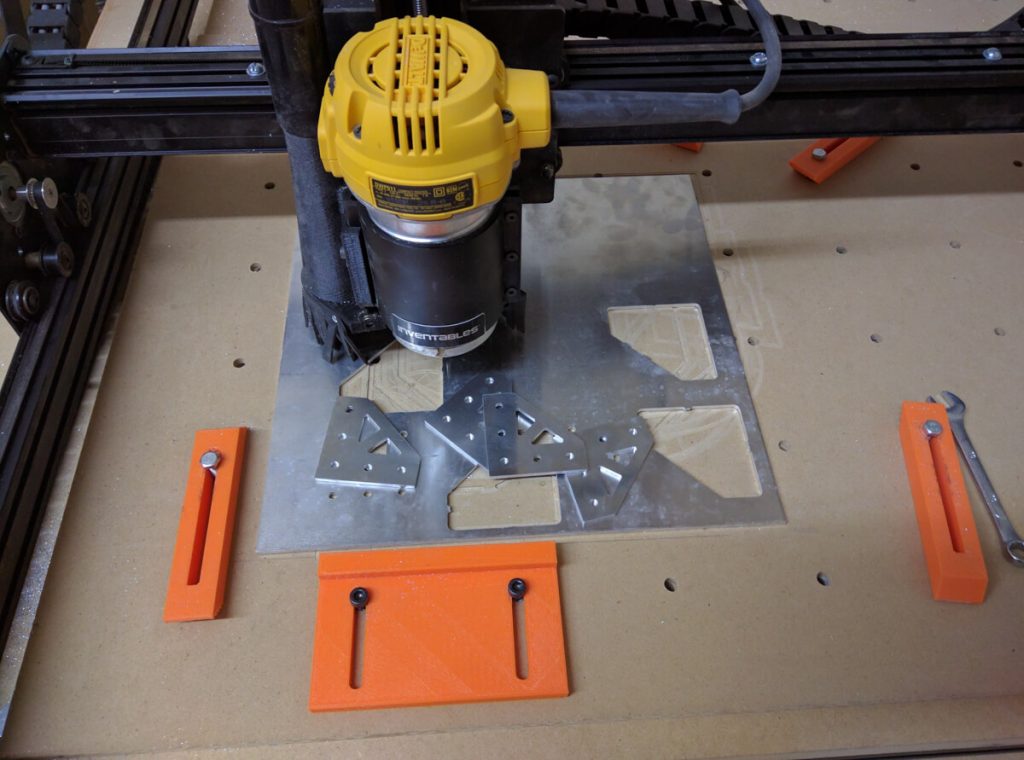
X-Carve can cut on aluminum 6061 with a depth-of-cut rate of 0.01” and a feed rate of 40 ipm.
While the Onefinity woodworker can cut on aluminum with a depth-of-cut rate of 0.04” and a feed rate of 100 ipm. That is more than double what an X-Carve can do.
Woodworker’s rigid build supports the router to cut through hard materials faster than the X-Carve.
With lubrication, both machines can give good performance on non-ferrous metals like aluminum, brass, and copper.
However, X-Carve cannot beat the speeds at which Onefinty Woodworker can perform.
Winner: Onefinity
8. Spindle/Router
| CNC | Router/Spindle | RPM |
|---|---|---|
| X-Carve | Makita RT0701C | 10,000-30,000 |
| Woodworker | Makita RT0701C | 10,000-30,000 |
Spindle/router specifications on Onefinity Woodworker and X-Carve
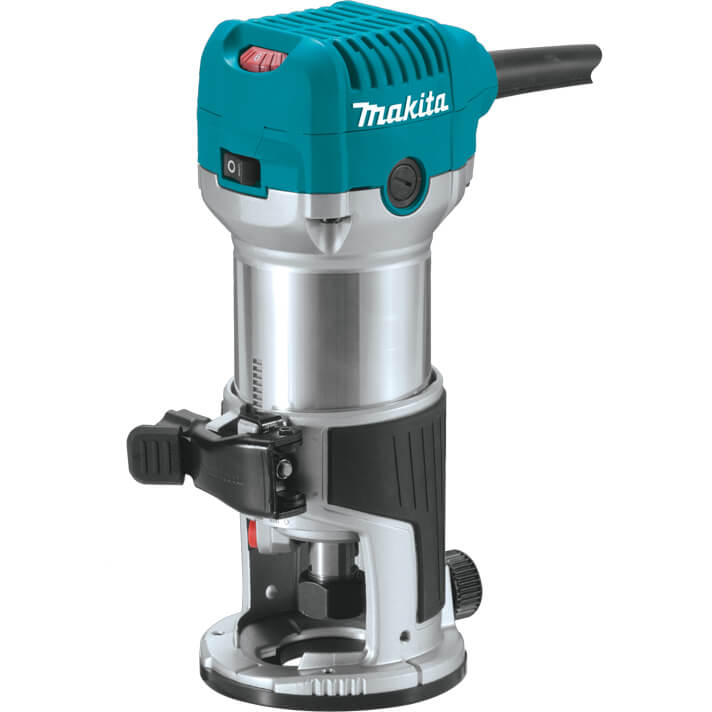
One enormous disappointment about Woodworker is that Onefinity does not provide a router with their machine.
Inventables X-Carve comes with a Makita RT0701C router for their 110V USA power outlet models.
For the EU(European Union) 240V outlet models, the X-Carve comes with a DeWalt D26200 router. Both routers come with a ¼” collet.
Onefinity recommends the same Makita RT0701C router for Woodworker’s optimum operation.
Makita RT0701C has a 1.25hp motor which is housed inside a heavy-duty aluminum body. It provides a variable speed of 10,000 – 30,000 RPM.
Makita RT0701C uses ¼” shank router bits. The router alone weighs around 3.8 lbs.
You can also use a DeWalt D26200 that weighs around 6.6 lbs and also uses a ¼” shank router bit.
It has a variable speed range of 16,000 – 27,00 RPM and hence is not suitable for cutting metals as that requires low RPM ranges.
The Dewalt D26200 router is best suited for woodwork, while the Makita RT0701C router is for aluminum work.
X-Carve comes with a 66mm Makita spindle Mount with a Z-axis carriage made of extruded aluminum.
X-Carve’s Makita mount itself can accommodate both Makita RT0701C and DeWalt D26200 spindle.
Woodworker comes with a 65mm spindle mount. It can house any spindle similar in size to the Makita RT0701C spindle.
Winner: X-Carve
9. Accessories and Upgrades
Both X-Carve and Woodworker are customizable compared with other CNC machines.