
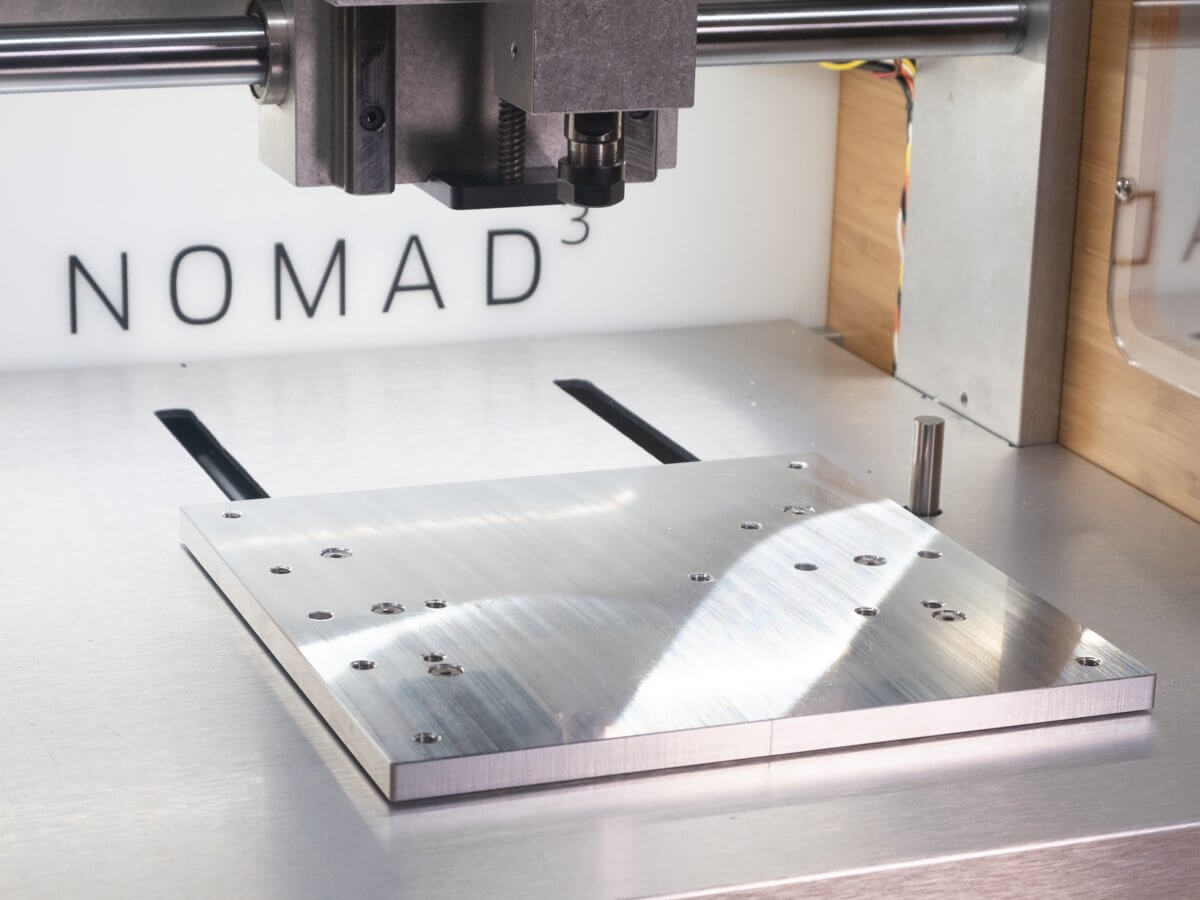
CNC Milling is more affordable than ever before and there are so many options before you.
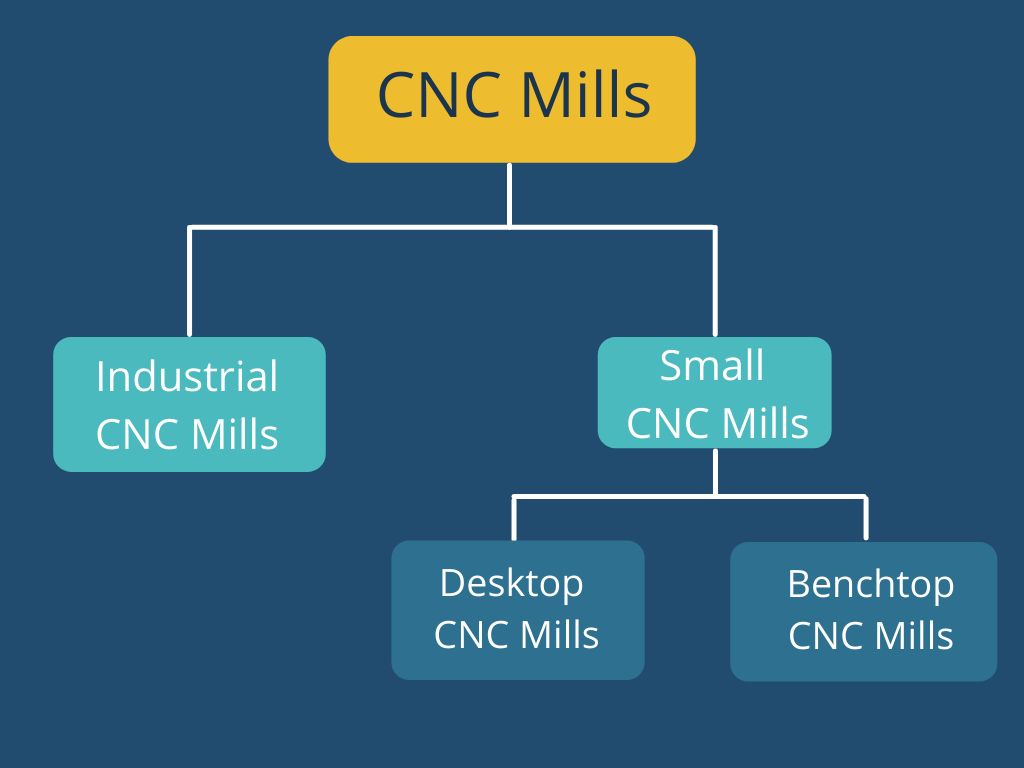
Before choosing a CNC mill, you need to decide whether you need a desktop CNC mill or a benchtop CNC Mill as they are fundamentally different.
In this guide, I list the best CNC mills available today, by discussing everything that’s good and bad about them.
While choosing these machines, I evaluated them for the rigidity of their chassis, accuracy and repeatability, electronics, ease of use, customer support, and cost.
If you are thinking of converting your manual mill to a CNC mill, I have discussed that in the latter part of this article.
Also for those interested, I’ve listed the best industrial CNC mills at the end of this guide.
Here are the best CNC Mills available today [2023]:
| CNC Mill | Type | |
|---|---|---|
| 1 | Nomad 3 | Desktop CNC Mill |
| 2 | Onefinity Machinist | Desktop CNC Mill |
| 3 | Avid Benchtop PRO2424 | Desktop CNC Mill |
| 4 | Sherline 12″ CNC Mill | Benchtop CNC Mill |
| 4 | Taig 2019 CNC Mill | Benchtop CNC Mill |
| 5 | Tormach PCNC 440 | Benchtop CNC Mill |
| 7 | Haas CNC | Industrial CNC Mills |
| 8 | Okuma CNC | Industrial CNC Mills |
Best CNC milling machines [2023] -Desktop, Benchtop, and Industrial
Best Small CNC Mills
These mills are suitable for the production of parts in small quantities and are best suited for hobbyists and Small Businesses.
Small CNC Mills can be of two types, Desktop CNC Mills and Benchtop CNC Mills.
Best Desktop CNC Mills
Desktop CNC Mills fit on a desktop and are not as heavy as benchtop CNC Mills.
Typically, desktop CNC mills work well for milling metals but they are also used a lot for milling non-metals (Like wood, plastics, and PCB) as well.
They have a gantry-style frame and offer a higher work area compared to benchtop mills which have a C-frame or Bridgeport style.
These are the best Desktop CNC Mills available today for metal and non-metal milling:
1. Nomad 3: Best Desktop CNC Mill
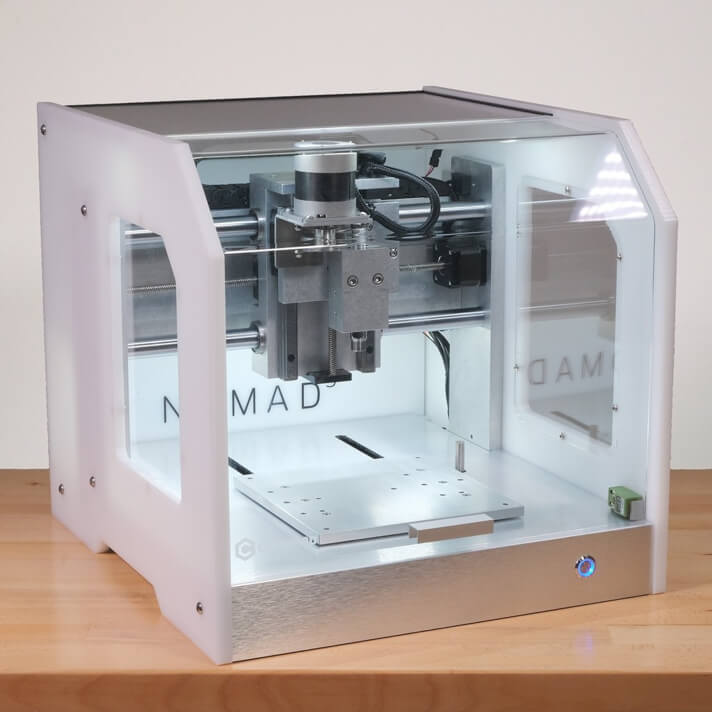
Nomad 3 is a small compact desktop CNC machine that has proven capability to work on metals such as aluminum (6061 and 707 alloys), copper, brass, and soft materials.
Nomad 3 is incredibly popular among jewelry makers and people working with small metal pieces.
Carbide 3D sells the Nomad 3 for around $2,800, and you can purchase yours from their official website.
Nomad 3 can mill titanium and steel with proper coolant and chip clearing, Carbide 3D provides feeds and speeds for this on their website.
Size and Build
Nomad 3 fits on most desks as it has a small footprint of 19″ x 17 ½” and weighs under 70 lbs.
It has a work envelope of 8″ x 8″ x 3″ and has an accuracy of 0.001″, which, is quite a good level of accuracy at this price point.
Do you get annoyed by the whining noise of milling metals? Nomad 3 comes with an enclosure that reduces its noise and contains all the debris produced while machining,
All three axes are driven by lead screws with anti-backlash nuts that help the machine handle the stress of milling on metal.
It has an aluminum chassis. Even though aluminum chassis is not the best for machining metals, the Nomad 3 does excellent machining despite that.
You have three color options to choose from if looks matter to you, and it also has a sleek and neat design.
Spindle
Nomad 3 uses a 130 W spindle with a speed range between 9,000 and 24,000 RPM.
The spindle has enough power to mill aluminum with considerably higher feed rates than Shapeoko 4.
The maximum feed rate you can expect from the Nomad 3 is around 150 inches per minute, but do not expect the cuts to be deep.
You will need multiple passes with shallow cuts for machining ferrous metals on Nomad 3.
Controller and electronics
The controller board on the Nomad 3 uses the GRBL firmware and can control a maximum of three axes.
You can connect the controller to your computer via a USB cable.
The internal illumination lets you have a proper view of the machining process even under low light and can be of aid when loading stocks under low light.
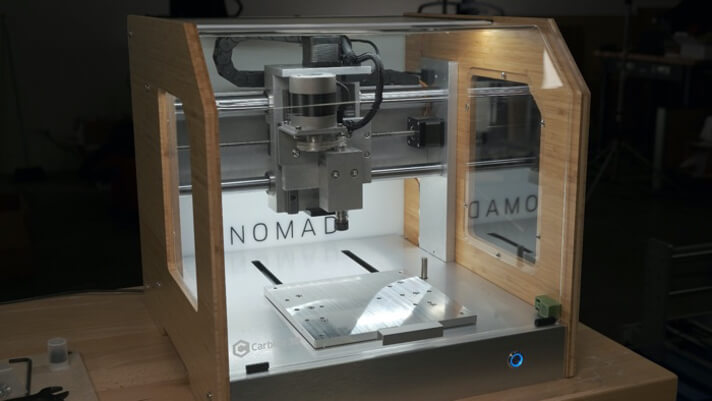
Talking about safety, the Nomad 3 has a door-open interlock, which prevents the machine from running with the door open.
But, it can be a pain when you need to provide external lubrication for milling tough metals. However, there are people who have bypassed it successfully with the help of Carbide 3D’s online community.
Software
On the software front Carbide 3D provides four software programs with the Nomad 3:
- MeshCAM for 3D machining using the Nomad 3
- Carbide Create 2D CAD/CAM software for 2D modeling and machining
- Carbide Motion for controlling the machine
- Carbide Copper for PCB machining
These software programs, except Carbide Copper, are not cloud-based, and you can install them on your Windows or macOS computer.
The software programs enable you to design and machine metal parts. They even have designs of the most commonly used parts in the library that you can use.
Assembly
If you need a machine that can start producing parts within 30 minutes of its arrival, then the Nomad 3 has it covered. It comes pre-assembled.
You are good to go once you are done connecting the wires and downloading the software.
The clear instructions and detailed manual with illustrations make assembling the Nomad 3 really easy and help you do it in under 30 minutes.
Community and support
Carbide 3D provides a 30-day replacement policy, whereby Carbide 3D will replace any part damaged due to operator error, free of cost in the first 30 days.
This is particularly helpful for beginners as they can be relaxed about breaking the machine during the initial learning period.
Moreover, you get a warranty of 18 months for the Nomad 3, which is a testament to its quality.
Carbide 3D is known for its technical support, online community, and forums that come with its machines.
Nomad 3 is made in Carbide 3D’s manufacturing unit in California, and they are known to ship replacement parts quickly.
Their support videos on their official YouTube channel are pretty helpful, and they even provide tips and tricks for using their machine through videos.
For a sub $3,000 price tag, the features and capability the machine brings to your shop are impressive.
You can produce quality prototypes right from your desktop, hassle-free.
| Carbide 3D Nomad 3 | |
|---|---|
| Price | ~$2,800 |
| Work area | 8″ x 8″ x 3″ |
| Material Capabilities | Aluminum, Steel (with coolant) |
| Drive mechanism | Lead screws with anti-backlash nuts |
| Software | Carbide Create, Carbide Motion Control, MeshCAM |
| Assembling time | Pre-assembled |
| Warranty | 18 months, 30 days replacement for operator error |
Summary of Carbide 3D Nomad 3
More about this CNC- Nomad 3 CNC Review [2023]
2. Onefinity Machinist
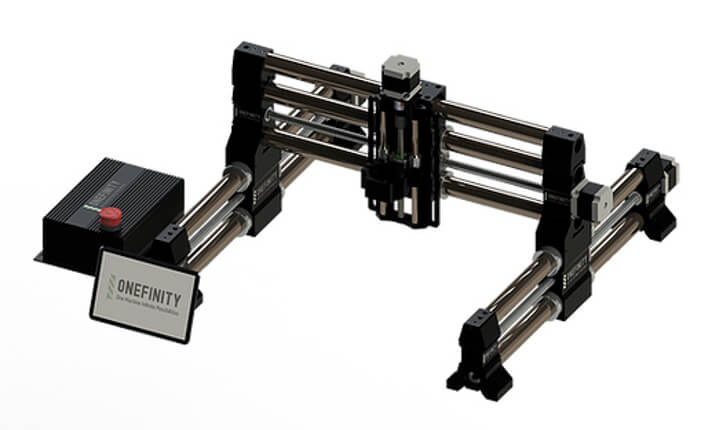
The Machinist X-35 was built by Onefinity after considering the drawbacks of most CNC Routers in the market for metal machining.
Size and build
The primary application of the Machinist X-35 is milling metals.
Metal stock pieces are usually smaller than their wooden counterparts. This is why the makers have opted for a smaller footprint for Machinist at 28-¾” x 28-¾” which gives an effective cutting area of 16″ x 16″.
The Machinist has one of the best frame designs among all the desktop CNC mills out there.
It uses hollow steel tubes of 35 mm diameter for the frame, which gives it incredible rigidity. It is also the reason why the model is called X-35.
I have not seen any other CNC offer a steel frame construction in this price range.
The steel frame is particularly good, as it provides good stiffness and flexes less when machining metals.
To make it more apt for metal milling, the Machinist uses a ball screw drive system on all three axes. Ball screws have negligible backlash error.
The axes move on round shafts by the use of linear bearings. The drawback of linear bearings is that you need to keep them lubricated to protect them from corrosion.
All these features allow the Machinist to have a repeatability of 0.002″.
There is no chip evacuation system provided. However, you can purchase the Suckit dust boot from Onefinity and connect it to a chip collection system.
Spindle
The Machinist ships without a stock router or spindle, and this must be bought separately. However, this gives you the freedom to choose a CNC spindle best suited to your requirement.
While choosing a CNC spindle, consider the power, RPM, and cooling system of your spindle.
Onefinity recommends the Makita RT0701C router.
Controller and electronics
Onefinity uses a controller based on the Buildbotics controller design, an open-source project.
The controller is run by a Raspberry Pi in combination with ATXMEGA 192 A3 U processor and is an advanced controller compared to the GRBL controllers in terms of features.
It supports four axes, whereas GRBL only supports three.
Onefinity’s controller has built-in Wi-Fi and Ethernet support. through which you can communicate with the controller through a computer.
The placement of the controller protects it from chips produced during milling.
The controller can be accessed via any web browser connected to the same network, and that means you can control your Machinist even from your phone.
You get a touchscreen display with the Machinist that you can use as an offline controller, meaning you don’t necessarily need a computer to run this CNC mill.
Even when the machine is connected to a computer, the controller does all the processing.
Eventually, you might need a machine with better power. The drivers on the Onefinity are powerful, and you can upgrade your machine without the need to change the stepper drivers.
Software
The control software for the Machinist is pre-installed on the Buildbotics controller and it can be accessed via a web browser on any device connected to the same network as the machine.
Onefinity does not provide any CAD/CAM software with their machines, this gives you the freedom to choose the software of your choice.
A couple of suitable software for generating toolpaths for metal milling on CNC is Fusion 360 and Solidworks.
You can check out the article I wrote on some of the best software for CNC machines to better understand software choices.
Assembly
The assembly does not take up much of your time as it is shipped pre-assembled. The kit arrives in four different modules.
All you need to do is put these four modules together using hex keys and bolts, which will have the machine up and running in about 30 minutes.
Community and support
The forum at Onefinity is quite active, and although not as large as the Carbide 3D forum in terms of users, the numbers are constantly increasing.
Onefinity is known for standing by its customers and has an excellent reputation among its customer base.
Also, Onefinity offers a 1-year formal warranty on all its products.
The company Kirbre Enterprises Inc. which owns the Onefinity brand is based in Ontario, Canada, and the machine ships from that location.
They offer phone support and email support to all customers.
Overall, it is clear that the makers of Onefinity have taken the time to understand the issues with the current crop of CNC machines.
The Machinist is genuinely a 2023 CNC that is ideal for milling metals, and the scores of videos on YouTube are a testament to that.
| Onefinity Machinist X-35 | |
|---|---|
| Price | ~$1,900 |
| Work area | 16″ x 16″ x 5.25″ |
| Material capabilities | Aluminum, Copper |
| Drive mechanism | Ball-screws |
| Software | None (have to use third-party software) |
| Assembling time | 30 minutes |
| Warranty | 1 year |
Summary of Onefinity Machinist X-35
You might be interested in these:
3. Avid Benchtop PRO2424: Best CNC Mill for High-End Hobby Work
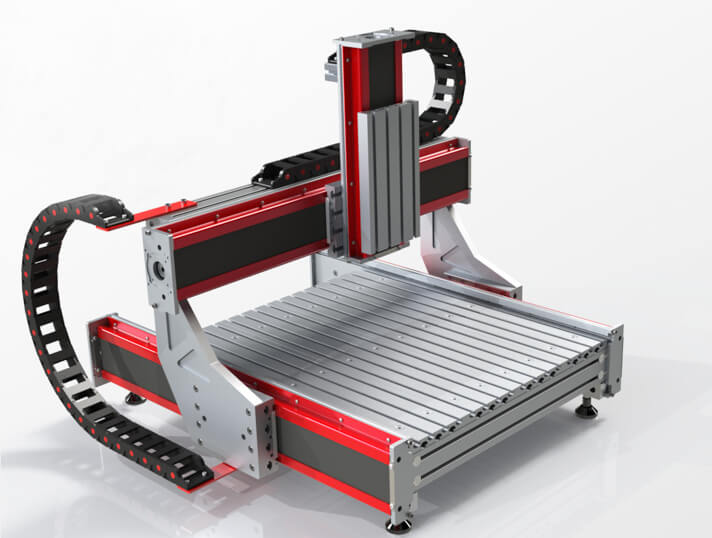
I love Avid CNC machines for their incredibly rigid construction and quality motion elements that provide excellent accuracy.
It is a machine capable enough to work on metals, but the cutting speeds will depend on the configuration you choose.
The basic mechanical components of the Benchtop Pro will cost you roughly $3,750.
Additionally, you need to purchase parts like a router/spindle, stepper motors, controller, software, collet, and tooling separately, making it expensive.
I have made a rough cost estimate choosing Avid CNC products to go with the Benchtop Pro.
| Avid CNC Benchtop Pro 2424 | $3,750 |
| Plug and Play NEMA 34 CNC Control System | $2,825 |
| Avid CNC 8.7 HP Plug and Play Spindle / VFD System with mount and collet set | $3,995 |
| Pepperl + Fuchs Proximity Sensor Kit | $315 |
| Auto Z and Corner Finding Touch Plate | $165 |
| Mach4 Software | $200 |
| Total | $11,250 |
Rough cost estimate of Avid CNC Benchtop PRO 2424
Size and build
The Benchtop Pro is a desktop machine, but it can take up the entire space on most desks with a footprint of 43” x 43” x 37”, but it does help you mill large workpieces with a work envelope of 26” x 26” x 6”.
A ball-screw drive mechanism is used on all axes to achieve excellent accuracy and stiffness, making this machine a good choice for milling soft materials and non-ferrous metals.
With proper configuration and cutting parameter calculations, the Benchtop Pro has been used for milling steel.
It has an aluminum chassis which makes it a rigid machine, but wobbles can be created if you do not provide an adequately reinforced table.
The default setup comes with a bed having T-slots for work holding, but you can convert it into your desired configuration with the help of instructions that you can find online.
It has a resolution of 0.0002”, repeatability of ± 0.001”, and precision of ± 0.005” meaning you can make accurate parts with a good finish.
Motor and spindle
You can configure your machine either with a NEMA 23 mount or a NEMA 34 mount. In my opinion, a NEMA 34 version can give you better performance for milling metal.
The Benchtop Pro does not have a spindle bundled with it, giving you the freedom to choose a spindle best suited for your application.
However, Avid CNC offers a 4 hp and an 8.7 hp VFD spindle priced around $2,000 and $4,000 that you can choose to purchase.
The speed at which you can mill your part also depends upon the spindle you choose.
For example, the 8.7 hp spindle from Avid CNC running at 24,000 RPM can achieve a feed rate of 390 inches per minute.
At this rate, it can remove 219 cubic inches of maple hardwood every minute using a 1.5-inch cutter at a 0.375-inch depth of cut.
Controller and electronics
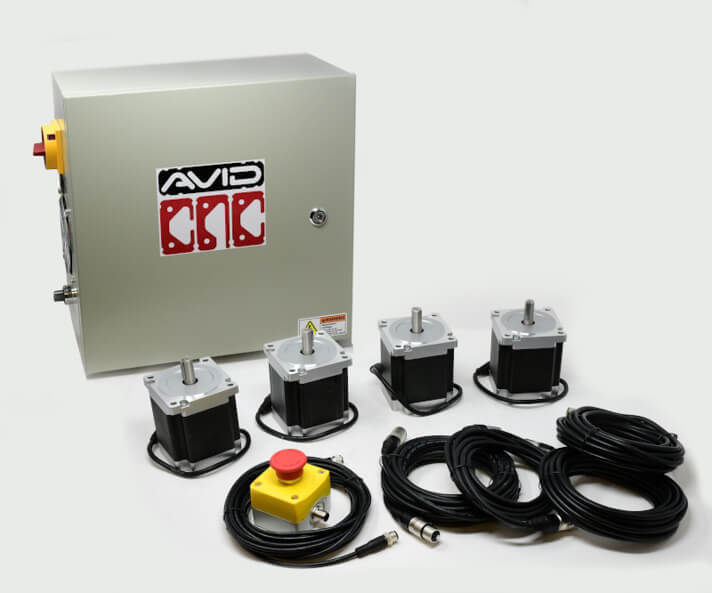
The NEMA 34 controller from Avid CNC will cost you around $2,825 and supports up to five motors.
All the electronics components and kits from Avid CNC are plug-and-play systems, making the setup easier.
The controller connects to your computer via the Ethernet Smoothstepper board through an ethernet cable. You will also have to purchase the Mach 4 control software for the machine.
The proximity sensor kit from Avid CNC for homing the machine will cost around $315, and the z-axis and corner finding plate will cost another $165.
Software
Be ready to spend $200 more if you choose the Avid CNC controller, as it requires the Mach 4 software to function.
For CAD/CAM purposes, you can use any software as Avid CNC provides post processors for almost all the popular CAM software.
Assembly
The Benchtop Pro is shipped in different parts. Some of these parts are pre-assembled, which reduces the assembly time.
With the help of detailed label instructions, you can expect to set up the machine in about 3 – 5 hours if you choose plug-and-play electronics from Avid CNC.
If you choose to custom-build the electronics part, the assembly time can change drastically.
Community and support
The online forum of Avid CNC has a large number of active users who are ready to help you with the problems you face with the machine or the operations you perform with it.
The official support is good enough and is based out of Washington. You can expect a reliable resolution to your problems over the mail or call.
The framework of the Benchtop Pro is excellent for milling, and a good option would be to purchase the Benchtop Pro and custom-build the electronics.
Custom building the electronics and controller will take time and research, but it will help you bring the overall cost down.
The Avid Benchtop PRO can bring high precision to your shop if you are willing to invest the money for this CNC.
| Avid CNC Benchtop PRO2424 | |
|---|---|
| Price | ~$8,450 (depends on customization) |
| Work area | 26” x 26” x 6” |
| Material Capabilities | Aluminum and other non-ferrous metals |
| Drive mechanism | Ball-screw drive |
| Software | Mach 4 (optional), customizable |
| Assembling time | 3-5 hours |
| Warranty | 1 year |
Summary of Avid CNC Benchtop PRO2424
Best Benchtop CNC Mills
Benchtop CNC Mills are typically used only for metal milling and have a smaller work area compared to desktop CNC mills.
However, they are considered more rigid and good at dampening vibrations.
They have a C-frame style or Bridgeport style frame and not a gantry style frame like in desktop mills.
The following are the best benchtop CNC mills available today [2023].
I am discussing only the Small CNC mills among them and not the very heavy industrial-type benchtop mills.
- Sherline 12″ CNC Mill-For hobbyists
- Taig 2019 CNC Micro Mill-For hobbyists
- Tormach PCNC 440– For Small Businesses/Machine Shops
1. Sherline 12″ CNC: Best Benchtop Mill for Home Use
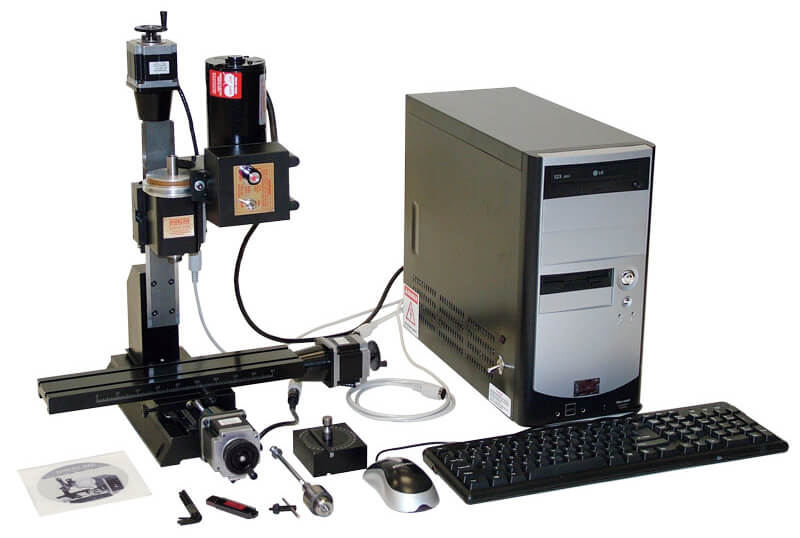
Costing just less than $2,784, the Sherline 12″ CNC Mill is a good option for metal milling at low speeds for hobbyists.
It can make quality parts but does so at low speeds, making it more suitable for hobbyists than for production works.
Sherline mills are known to stand the test of time, with many of them still functioning smoothly even after 30 years.
Size and build
You can mill a 9” x 5” metal stock with a height of 6.2” inch on this mini-mill, and since it is a mini-mill, it can sit in a 20.5” x 15” space on your table.
As it weighs under 40 lbs, you can carry it around easily if need be, or you can store it on your shelf if not needed for the time being.
Can it mill metals? The short answer is yes. The machine is rigid enough to allow you to mill wood, aluminum, brass, cast iron, stainless steel, and titanium with a maximum tolerance of 0.001”.
If you intend to mill wood or brass, it is better to use dust covers for the components to ensure their long life.
Sherline has an accordion cover for its lead screw on the z-axis and a toggle switch dust cover for stepper motors.
All the axes are moved by lead screws, which have some backlash, but the overall performance is still good.
You can also consider the ball screw version of this mill from Sherline, which sells for around $4,200.
The maximum travel speed you can achieve is around 22 inches per minute, but the feed rates when cutting metals are slower than that.
For achieving a good finish on the Sherline CNC mill, you should keep the feed rates at around 6 inches per minute which is relatively slow compared to bigger mills.
Motor and spindle
For driving the axes, it uses three NEMA 23 stepper motors with a holding torque of 136 oz-in, which is suitable for light milling.
A handwheel is provided on each stepper motor for easy zeroing of the axes.
A 90V DC brushless spindle motor with a rated power of 60W runs the spindle.
The spindle motor is mated to an electronic speed controller, which lets you adjust the speed between 70 – 2,800 RPM.
Controller and electronics
Sherline provides a Linux PC with a mini-mill. All the motor drivers, controllers, and power supply units are housed within the PC cabinet.
A mouse and keyboard are also provided to be used with the PC. However, you will have to supply a monitor.
The controller can manipulate up to four axes which is a good thing if you wish to upgrade in the future.
Software
The LinuxCNC (EMC2) software is used for controlling the machine, which is open-source software.
Since it is open-source software, you can find many skins and mods by different users on the software’s website.
Using LinuxCNC has an added advantage as it can compensate for the backlash caused by the lead screw drive mechanism on this CNC mill.
It is a really easy-to-use software and can work well with most CAD/CAM software programs.
Assembly
The mini mill arrives in two boxes and can be assembled in about three hours.
Sherline provides a detailed assembly guide that will guide you through the assembly process.
If you get stuck, there are several videos on YouTube to guide you through the assembly process.
Support
The company Sherline products inc is based in Vista, CA, and has been in operation since 1974 all their products are designed, manufactured, and assembled in their factory in California.
Sherline has a prompt and reliable customer support team based in the US, ready to assist you with any queries and issues you face.
One of the things I love about Sherline is that they never forget their customers. They provide excellent support to all of their customers.
They design their products to have backward compatibility. Meaning, any components they produce in the future will fit perfectly into your old machine, allowing you to upgrade your device with little effort.
Sherline offers a 30-day refund policy wherein you can send back the product in its original condition within 30 days of delivery for a r